AtayaForma
Biogeometry Home Energy Balancing Kit
Biogeometry Home Energy Balancing Kit
Couldn't load pickup availability
Your 1 Cube Home Energy Balancing Kit includes:
1 × Home Energy-Balancing Cube
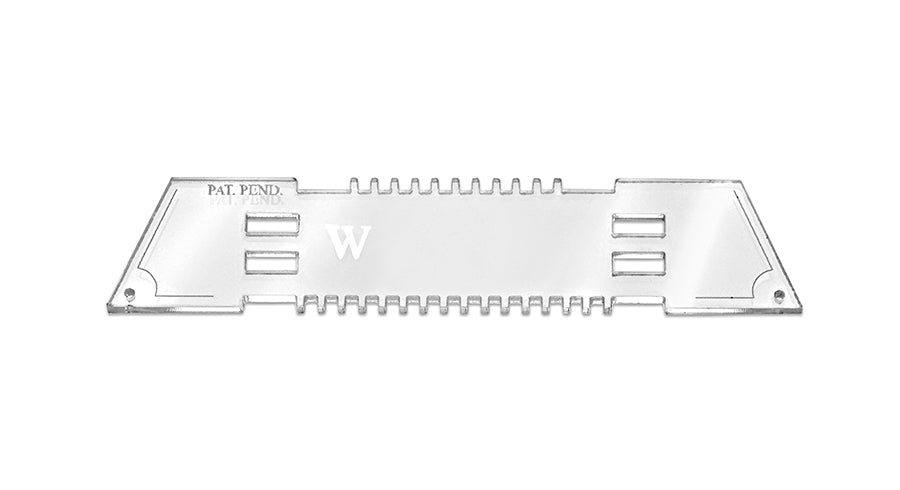
1 × BioGeometry Clearing Tray
3 × Electricity Attachments (marked “E”)
1 × 16/19 Electricity Attachment (marked “E.P.”)
2 × Water Attachments
8 × L90 Stickers (Version 2019)
Most homes can be set up in 15–30 minutes, depending on access to your breaker panel, water pipes, and router.
Typical placement areas include:
A stable spot for the Cube (living room, hallway, or central area)
Main water entry pipe + hot water pipe
Main electrical breaker panel
Wi-Fi router and (if applicable) smart meter
One window on each side of the home
Instructions for Use (Recommended Placement)
Instructions for Use (Recommended Placement)
1) Home Energy-Balancing Cube
Place the Cube indoors on a light-colored surface or a plain white sheet of paper, with the text facing downward.
Best practice placement tips
Keep approximately 10 cm of open space around the Cube
A small side table works well to avoid accidental clutter near it
Choose a location where it won’t be moved frequently
Avoid placing the Cube
on top of or beside electrical appliances
in front of mirrors
inside closed drawers/cabinets
near large metal objects
Daily clearing (recommended)
Place the Cube on the BioGeometry Clearing Tray for about 5 minutes per day. Many people prefer to do this in the evening.
If the Cube is left on the tray longer than intended, it’s not a problem, but it may not be operating at its fullest while sitting on the tray.
Multiple cubes note:
If adding additional cubes, keep them at least 15 meters apart for best spacing.
2) Water Attachments (2 included)
Attach 1 water attachment to the main water pipe entering the home,
1 water attachment to the hot water pipe. Secure using double-sided tape or plastic cable ties, depending on your installation area.
3) Electricity Attachments
Place 1 “E” electricity attachment on the main breaker panel using double-sided tape. If applicable, place an additional “E” attachment on the home’s electricity meter.
Important: Do not cover attachments with packing tape or similar materials.
Also place: 1 × 16/19 attachment (E.P.) on the breaker panel
Any extra “E” attachments can be secured to electrical wires near the bed or around devices using plastic cable ties.
4) L90 Stickers (Version 2019)
Suggested placement:
2 × L90 stickers on the Wi-Fi router (no specific orientation required)
1 × L90 sticker on the smart meter (if applicable)
4 × L90 stickers on windows: one window on each of the 4 sides of the home.
Extra stickers may be placed on: TVs, wireless devices, mirrors.
Helpful Tips for Best Results
Keep the Cube in a consistent location (avoid moving it daily).
Try not to stack items close to the Cube.
Use cable ties for secure placement near wires or pipes.
If your breaker panel is metal, ensure the attachment is firmly fixed to a clean, dry surface.
Common Questions (FAQ)
How long does installation take?
Most setups take 15–30 minutes.
Do I need tools?
Usually no. You may want double-sided tape and/or plastic cable ties (depending on your home setup).
Does sticker direction matter?
For the Wi-Fi router placement, no specific orientation is required.
Can I use more than one Cube?
Yes. If adding additional cubes, keep them a minimum of 15 meters apart.
Can the Cube stay on the clearing tray?
It can, but it may not be working at its fullest while left on the tray continuously.
What You’ll Receive
You will receive the complete kit as listed above, ready for home installation with placement guidance included.
Share